
April Fools' Day passes quickly, leaving behind only memories of pranks and hoaxes that make us doubt everything for a moment.
Sadly, scammers don't take a break.
Spring marks one of the busiest periods for cybercriminals—not due to carelessness, but because everyone is caught up in their fast-paced routines, making them vulnerable to subtle, convincing scams that blend seamlessly into daily work life until it's too late.
Here are three widespread scams targeting not the naive, but intelligent employees who are simply trying to stay on top of their workload.
As you review these, ask yourself honestly: Would my entire team stop and recognize each scam before it's too late?
Scam #1: Fake Toll or Parking Fee Texts
An employee receives a text:
"You owe $6.99 in toll fees. Pay within 12 hours to avoid additional charges."
The message references a local toll system such as E-ZPass, SunPass, or FasTrak, matching their location. The small amount seems reasonable.
Amid a busy day, they click the link and pay without a second thought.
But the link is fraudulent.
In 2024, the FBI recorded over 60,000 complaints about fake toll texts, with reports soaring 900% in 2025. Researchers uncovered more than 60,000 counterfeit domains mimicking state toll sites—highlighting how lucrative this scam has grown. Some messages even target residents of states lacking toll roads.
Why it works: $6 seems harmless, and recent toll or parking use makes the claim believable.
The safeguard: Legitimate toll agencies never demand immediate payment via text links. Encourage your team to avoid paying through texts—always verify by visiting the official website or app directly. Never reply to suspicious messages, including commands like "STOP," as responses confirm active numbers and invite more spam.
Convenience tempts victims; consistent process protects companies.
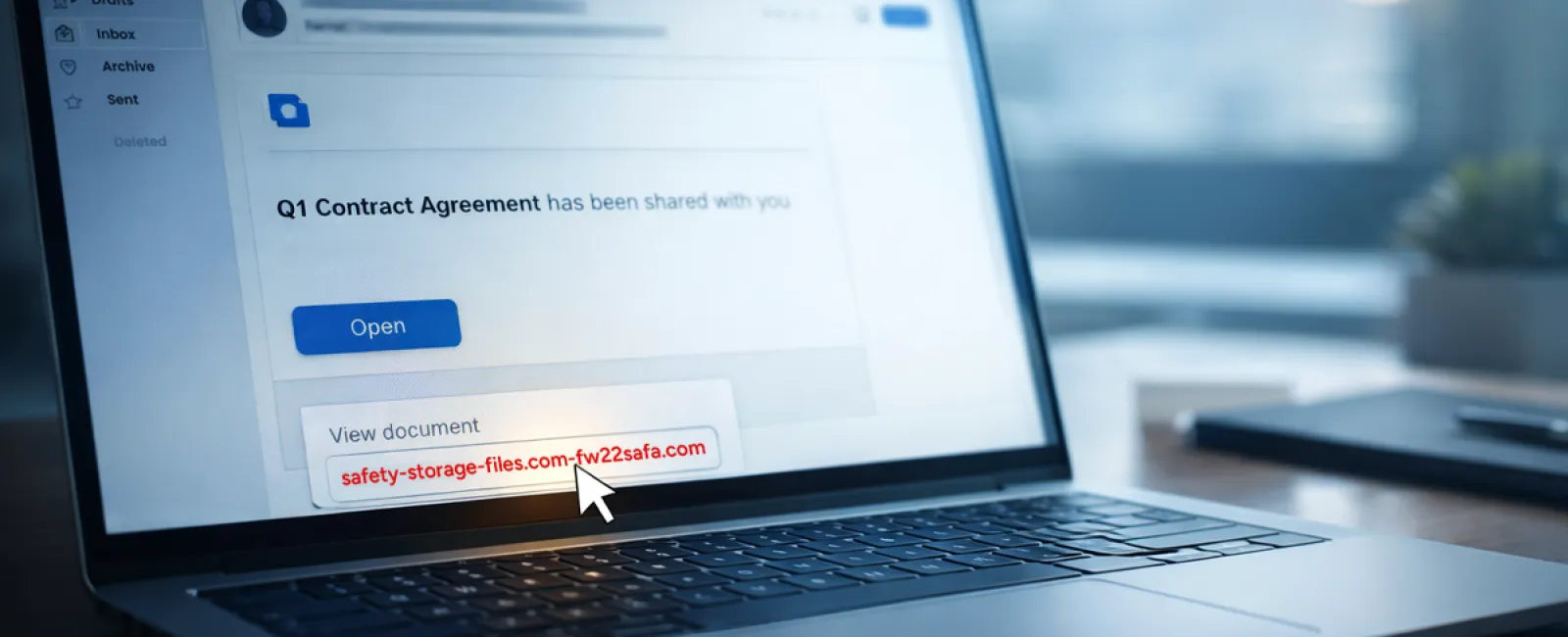
Scam #2: Phony "Your File Is Ready" Notifications
This scam integrates flawlessly into work routines.
An employee receives an email claiming a document has been shared—often a contract via DocuSign, a spreadsheet in OneDrive, or a Google Drive file.
The sender appears legitimate. The email looks identical to genuine file-sharing alerts.
They click the link, are prompted to log in, and enter their work credentials.
Now, someone else holds their login information, gaining access to your company's cloud environment.
These phishing attacks have surged dramatically. According to KnowBe4's Threat Labs, phishing campaigns exploiting platforms like Google Drive, DocuSign, Microsoft, and Salesforce increased by 67% in 2025. Google Slides phishing rose over 200% in just six months.
Disturbingly, employees are seven times likelier to click malicious links from recognizable platforms like OneDrive or SharePoint compared to unknown emails because the notifications appear authentic.
Modern attacks are tougher to detect—cybercriminals hack accounts, use legitimate file-sharing tools to send notifications, making emails originate from real company servers, bypassing spam filters.
Defense: If a file wasn't expected, your team should avoid email links. Instead, they should log into file-sharing services directly through a browser to confirm file presence. Additionally, IT teams can quickly reduce risks by limiting external sharing permissions and activating alerts for suspicious logins.
Simple vigilance drives powerful protection.
Scam #3: Highly Polished Scam Emails
Gone are the days when phishing was easy to spot due to poor grammar or bizarre layouts.
In 2025, research revealed AI-crafted phishing emails achieved a 54% click rate, over four times higher than the 12% for human-written scams. This success owes to personalized details—real company names, job titles, and workflows harvested quickly from public sources.
Attackers now target departments precisely: HR and payroll receive fake verification requests, finance encounters vendor payment changes. One study found 72% of employees engaged with vendor impersonation emails—a 90% increase over other phishing types. These messages appear calm, professional, and urgent, mimicking routine workdays.
Prevention: Verify requests involving credentials, payments, or sensitive data through a second channel such as a phone call, chat, or in-person check. Employees should always hover over sender addresses to confirm domains before clicking, and treat urgency as a red flag.
True security avoids fear tactics and keeps communication clear.
Key Takeaway
These scams exploit familiarity, authority, timing, and the expectation that actions will be quick.
The real vulnerability isn't careless employees, but systems relying on constant vigilance under pressure.
A single rushed click isn't just a people problem; it reveals weak processes.
Fortunately, strong processes are fixable.
How We Support You
Many business owners don't want to take on teaching cybersecurity themselves or turn it into a complex project.
They simply want assurance that their company is protected from hidden threats.
If you're worried about what your team faces—or know someone who should be—we're here to help.
Book a straightforward discovery call to cover:
• Current risks businesses like yours encounter
• How threats hide in everyday workflows
• Practical steps to reduce risk without disrupting work
No pressure, no fear—just clear options to protect your team.
Click here or give us a call at 609-676-3597 to schedule your free 15-Minute Discovery Call.
If this isn't relevant for you, please share it with someone who would benefit. Often, knowing what to watch out for turns a "close call" into a blocked attack.