

When it comes to spring cleaning, many businesses start with closets, but the real mess often lurks beyond clothes racks.
That clutter might be in a server rack, a storage closet, a back office, or piled up in a box marked "to handle later."
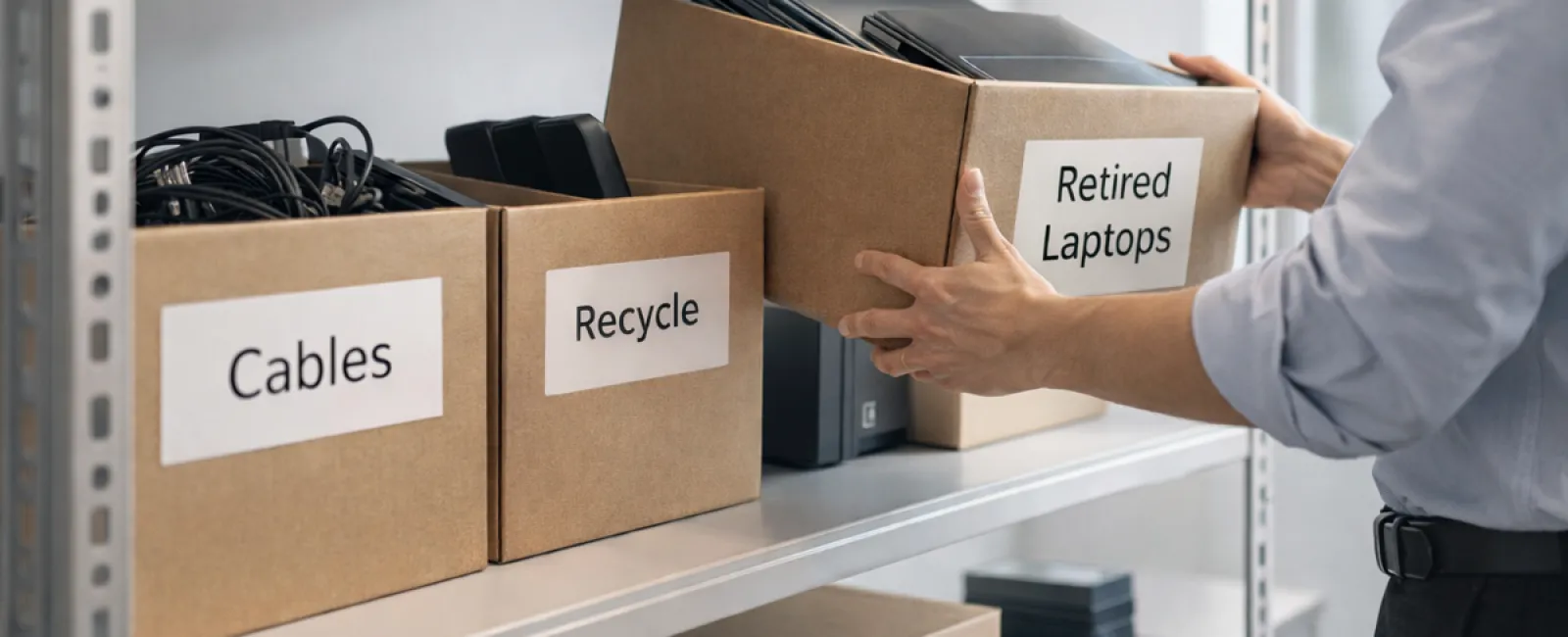
Old laptops, outdated printers, backup drives from previous upgrades, and boxes of cables kept "just in case" - every organization collects these items.
The question isn't if you have these items, but whether you have a smart plan for what to do with them next.
Technology Has a Lifecycle — Beyond the Purchase Date
Purchasing new technology usually comes with clear benefits: it's faster, more secure, or better aligned with growth goals.
While many companies carefully plan how they acquire technology, far fewer strategically manage its retirement.
Retiring tech tends to happen quietly—devices get swapped out, set aside, and eventually someone attempts to clear the backlog.
That's a typical cycle.
What's rare is applying the same deliberate approach to retiring technology as to purchasing it.
Used technology often retains value, recyclable parts, and sensitive data. Leaving outdated devices idle not only consumes space but can also hinder operations.
Spring is the perfect moment to evaluate: which equipment still serves a purpose, and which is merely occupying space?
Simplify Your Tech Cleanup with a Clear Process
To turn good intentions into action, follow this straightforward four-step method.
Step 1: Conduct an Inventory
Identify exactly which devices you're retiring—laptops, phones, printers, network hardware, or external drives. You can't manage what you haven't accounted for, and a quick scan may reveal surprises.
Step 2: Choose the Right Endpoint
Every device should be categorized for reuse (either internal or donated), recycling through certified e-waste programs, or destruction when data confidentiality demands it. Choosing intentionally prevents equipment from languishing forgotten.
Step 3: Prepare Devices Thoroughly
Discipline here protects your business.
If reusing or donating, remove equipment from management systems, revoke user access, and perform certified data wiping—not just a factory reset. Simple file deletion or formatting doesn't erase data completely; it only hides its location.
Research by Blancco showed that 42% of secondhand drives on eBay still held sensitive data like tax records and passports, despite sellers' claims of proper wiping. Certified erasure software thoroughly overwrites all sectors and provides verification.
For recycling, always use certified e-waste recyclers instead of the trash. Note: programs like Best Buy's only accept household items, excluding businesses.
Commercial disposal requires certified IT asset disposition (ITAD) providers or business-focused recyclers. Look for e-Stewards or R2 certifications—directories are available at e-stewards.org and sustainableelectronics.org. Your IT partner can often assist.
When destroying equipment, use certified wiping or physical destruction (professional shredding or degaussing) and keep a detailed record of serial numbers, methods, dates, and handlers.
This is about proper closure, not paranoia.
Step 4: Document and Move Forward
Once devices leave your facility, confirm their destination, handling process, and removal of access rights. Thorough documentation removes uncertainties.
Commonly Overlooked Devices
Laptops often get attention, but many devices slip under the radar.
Phones and tablets may still harbor email accounts, contacts, or authentication apps. While factory resets erase most data, businesses should employ certified mobile wipe tools. Leading brands like Apple and Samsung provide trade-in programs for even older models, helping offset costs of new gear.
Modern printers and copiers often contain internal hard drives that store records of all output—printed, scanned, copied, or faxed. If returning leased equipment, request written confirmation that hard drives will be wiped or removed before redeployment.
Batteries are classified as hazardous waste by the EPA. In many states, including California, New York, and Minnesota, discarding rechargeable batteries in regular trash is illegal for businesses. Whenever possible, remove batteries, tape terminals to prevent shorts, and deliver them to certified recycling locations such as those listed on Call2Recycle.org. Retailers like Staples, Home Depot, and Lowe's also accept rechargeable batteries at most stores.
External drives and retired servers often remain tucked away in closets longer than intended. While not inherently problematic, they should undergo the same retirement procedures as other tech.
Recycling and Sustainability Tips
Earth Day in April serves as a reminder of the importance of responsible e-waste disposal.
Electronic waste totals over 62 million metric tons annually worldwide, yet only about 22% is recycled properly. Batteries, monitors, and circuit boards must enter certified recycling channels. Most communities offer trusted e-waste recycling options for this purpose.
Managing technology retirement responsibly protects your operations, supports environmental sustainability, and enhances your strategic position. You don't have to choose between security and responsibility—you can achieve both.
Sharing your responsible practices on social channels subtly strengthens customer trust.
Unlocking Greater Potential
Spring cleaning isn't merely about discarding; it's about making room to thrive.
Clearing outdated hardware is just one step. Take a moment to ask: Does your technology truly support your business goals?
While hardware changes, software, systems, automation, and process design are core drivers of productivity and profit.
Properly retiring old equipment keeps your environment neat; aligning tech with ambitions keeps you ahead.
How We Can Help
If you have an established tech retirement process, excellent—it should be seamless and routine.
As you consider replacing old gear, it's the perfect time to evaluate your overall tech landscape. Are your systems integrated efficiently? Are your tools driving growth or just maintaining the status quo?
We're ready to chat about optimizing your technology stack, processes, and systems to boost your productivity and profits.
No checklists, no pressure—just a straightforward conversation about making technology work smarter for your business.
Click here or give us a call at 609-676-3597 to schedule your free 15-Minute Discovery Call.
Feel free to share this message if it inspires another business owner.
Spring cleaning goes beyond closets; it includes the systems powering your business.